
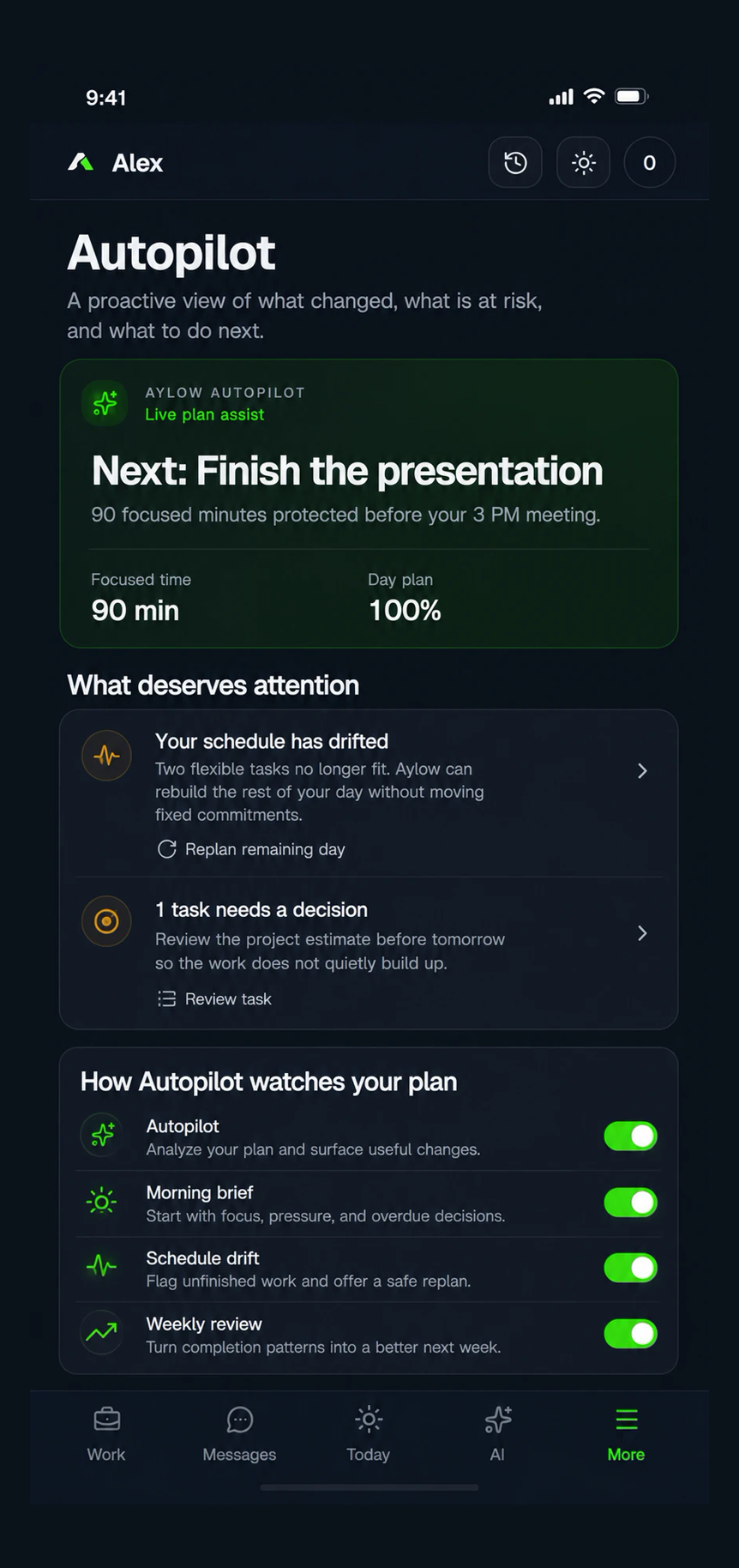
Morning brief
Start with a concise view of focus, calendar pressure, and overdue decisions.
Aylow Autopilot
Autopilot surfaces useful signals from your plan while leaving you in control of every consequential change.
Start with a concise view of focus, calendar pressure, and overdue decisions.
Spot unfinished blocks that have already passed and review a safer replan.
See completion patterns that can make the next week more realistic.
Autopilot can analyze the plan and surface a recommendation. Changes that could materially affect your day still wait for your confirmation.
Control which Autopilot watches are enabled from your settings.
See why a task, block, or pattern deserves attention.
Confirm, reschedule, complete, or dismiss the suggestion yourself.
Autopilot is an Aylow Pro capability.
It can surface recommendations, but consequential changes require confirmation.